A new lower board didn't bring the signal back. The baseband had to come with it.
An iPhone 14 Pro Max came in with a shattered back and a permanent No Service. We couldn't find the fault on the original board, so we replaced the half of it that handles cellular. The phone still said No Service, and that is the part worth reading: on an iPhone, the baseband and its EEPROM are married to the device. Until both moved across, no donor board was ever going to pick up a signal.
Not in the GTA? We accept mail-in board repair from anywhere in Canada
What the owner saw
- No Service, alwaysNever found a network, anywhere
- Wi-Fi worked fineSo the phone itself seemed healthy
- Back glass shatteredA hard impact at some point
- No calls, no texts, no dataA pocket computer with no phone in it
What we found
- No single failed partImpact damage, not one dead component
- Fault in the lower layerWhere the cellular section lives
- Donor board still deadNo Service even after the swap
- Original IMEI keptBaseband and EEPROM moved across
An iPhone 14 Pro Max with a smashed back was stuck on No Service. We could not isolate the fault on the original board, so we split the board into its two layers and fitted a new lower half, which is where the cellular section lives. It still said No Service, because a donor board brings its own cellular identity. So we reballed the original baseband onto the new layer and moved its EEPROM across as well. Signal came straight back, on the phone's own IMEI.
A phone that cannot make calls is a strange kind of broken. Everything works. The screen is perfect, the apps open, Wi-Fi connects, the battery is fine. It simply cannot find a network, and no amount of resetting network settings, swapping SIMs or reinstalling iOS changes it.
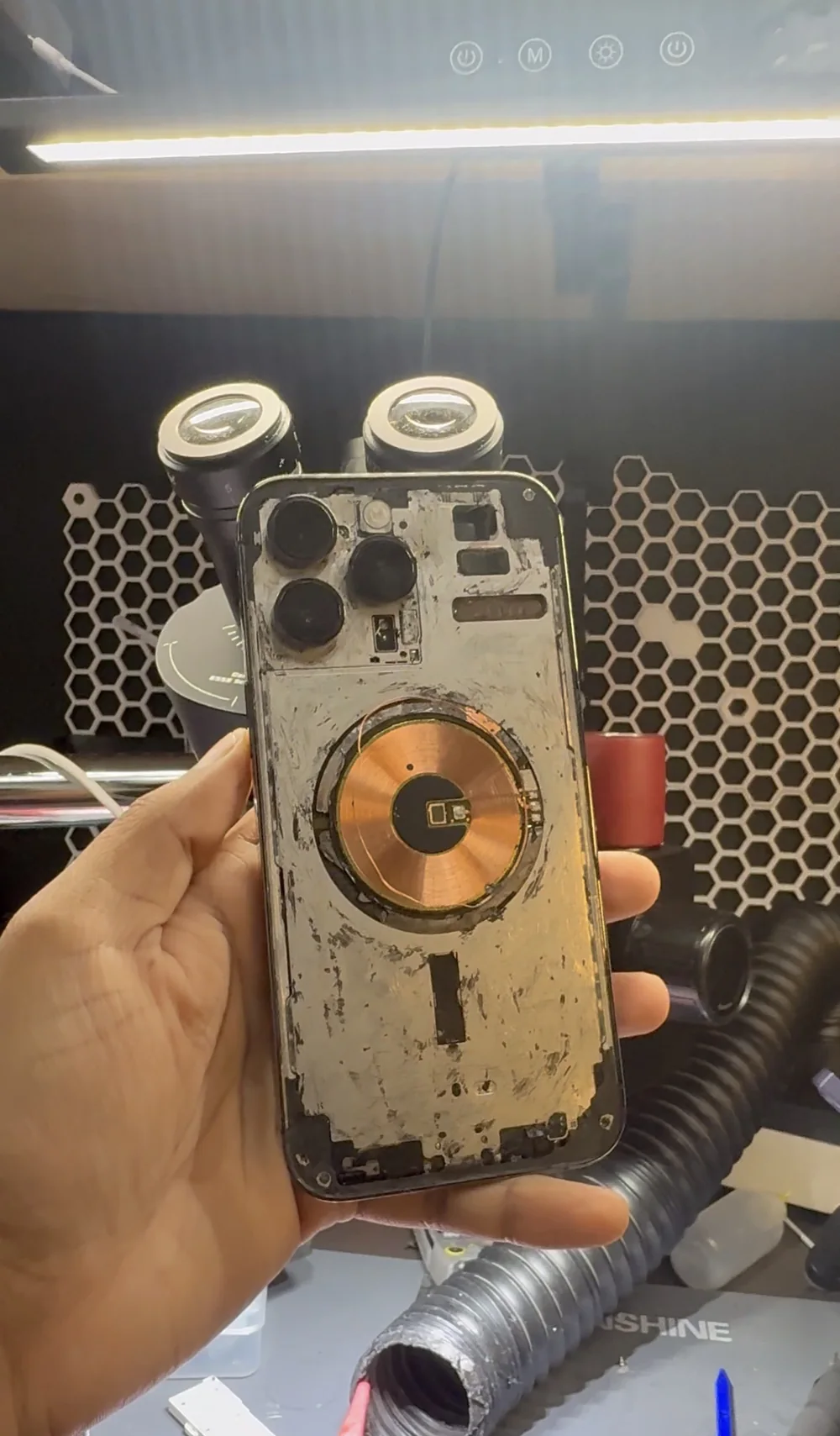
This iPhone 14 Pro Max arrived like that, with a back that had clearly taken a real hit. Nothing about the outside explains why the cellular stopped, because the damage that matters is never the damage you can see.
What "No Service" is actually telling you
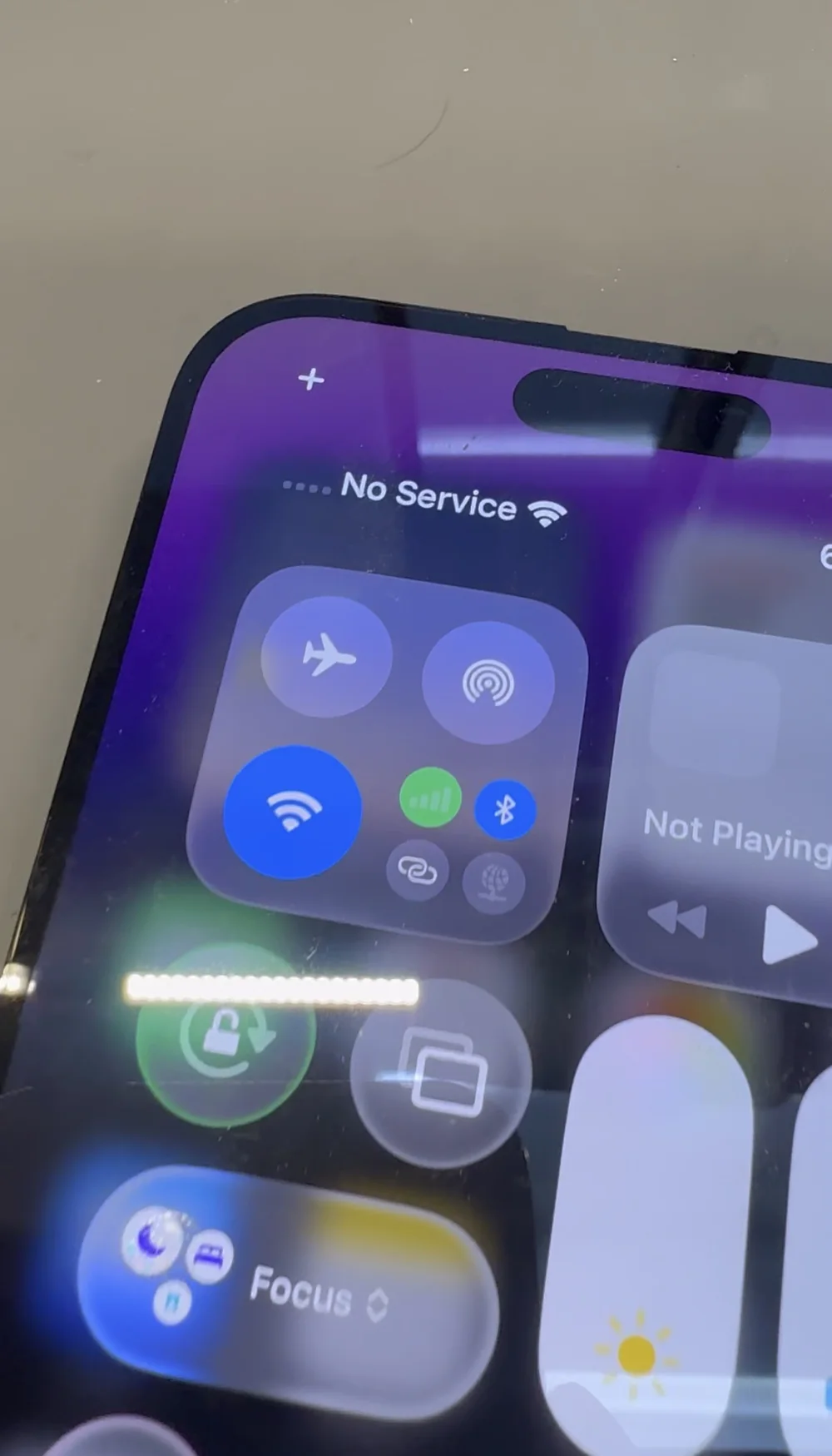
No Service means the phone is not seeing a network at all. Before anyone opens anything, that splits into a few possibilities, and the cheap ones get ruled out first: the SIM, the carrier account, the software, and the antenna connections inside the phone.
When all of those check out, the fault is on the board, in the chain that turns radio into data. That chain is the baseband processor, the transceiver, the power amplifiers and the filters that sit between them. Any one of them can stop the phone registering on a network.
We couldn't find it, and that's worth saying out loud
We spent real time on the original board trying to isolate a single failed component, and we did not find one. No obvious short, nothing running hot, no missing rail that pointed at one part.
That happens with impact damage. A hard enough shock can crack a joint under a chip, fracture a trace inside the board itself, or break a connection in a layer you cannot probe. The fault is real and it is right there, but there is no single component to point at and replace.
At that point you either give the phone back, or you replace the section of the board that contains the fault.
An iPhone 14 Pro Max board is two boards
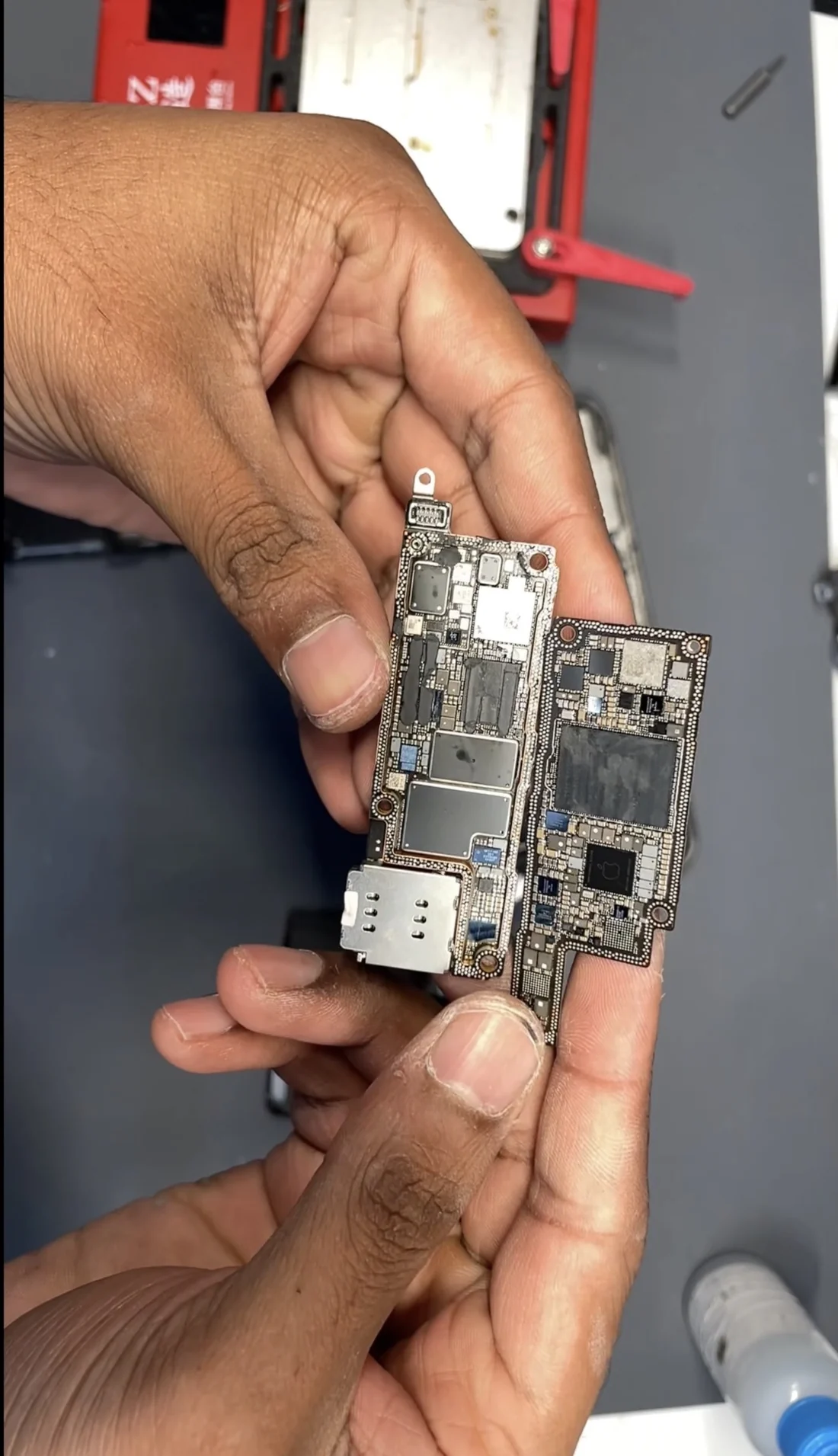
This is the part most people never hear about. Since the iPhone X, Apple has built the logic board as two separate printed circuit boards soldered face to face into a single sandwich. It halves the footprint and leaves more room for battery.
The two layers are joined by a dense ring of solder joints around the perimeter, and every signal that crosses between them crosses through that ring. The cellular section lives on the lower layer, which meant the fault and its fix were both down there.
Rebuilding the stack
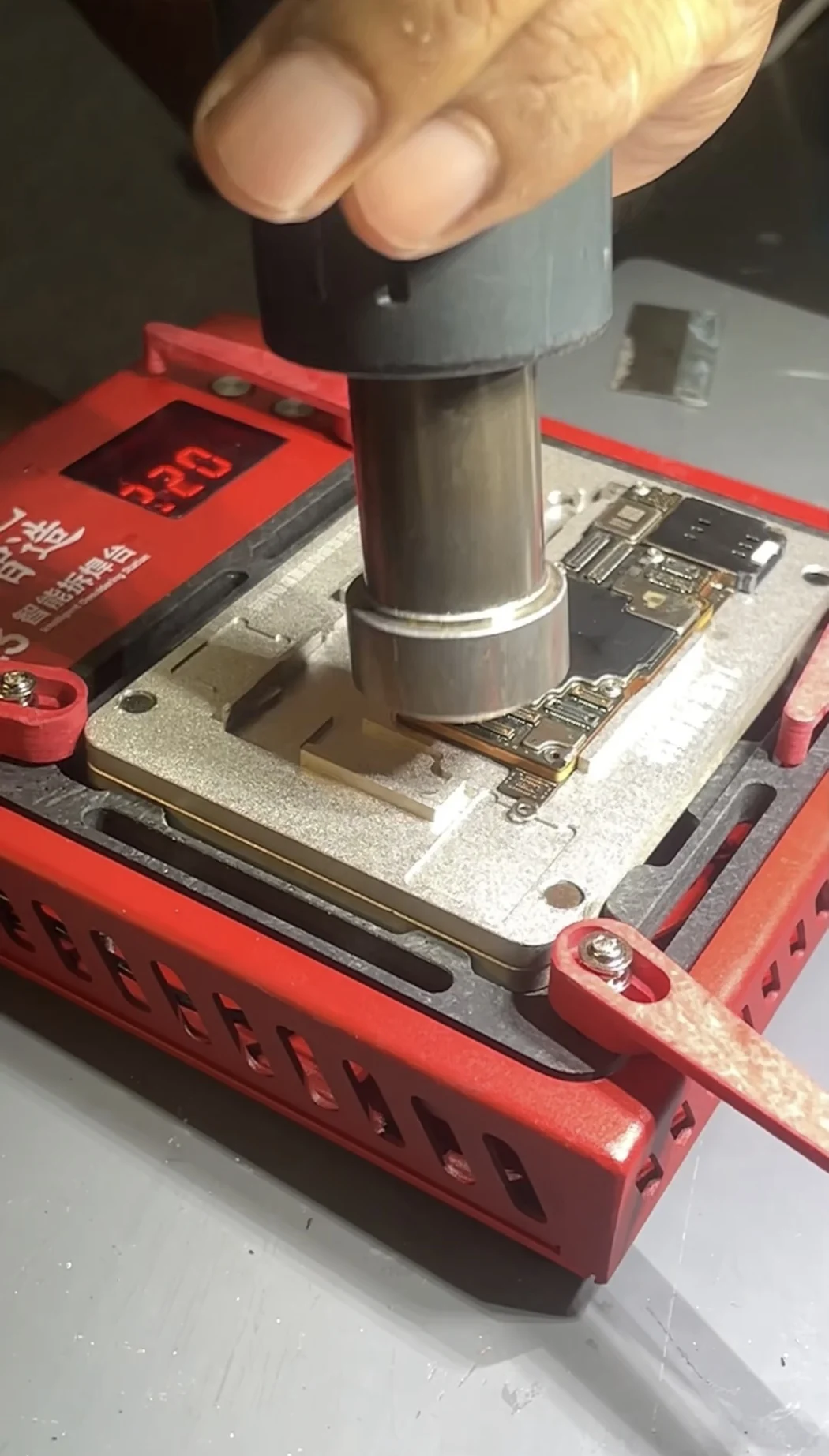
With the layers apart, the joint ring on both surfaces has to be cleaned back and reballed, exactly like any other BGA. The difference is scale: this is not one chip, it is the entire interface between the two halves of the phone, and every joint in it has to be right.
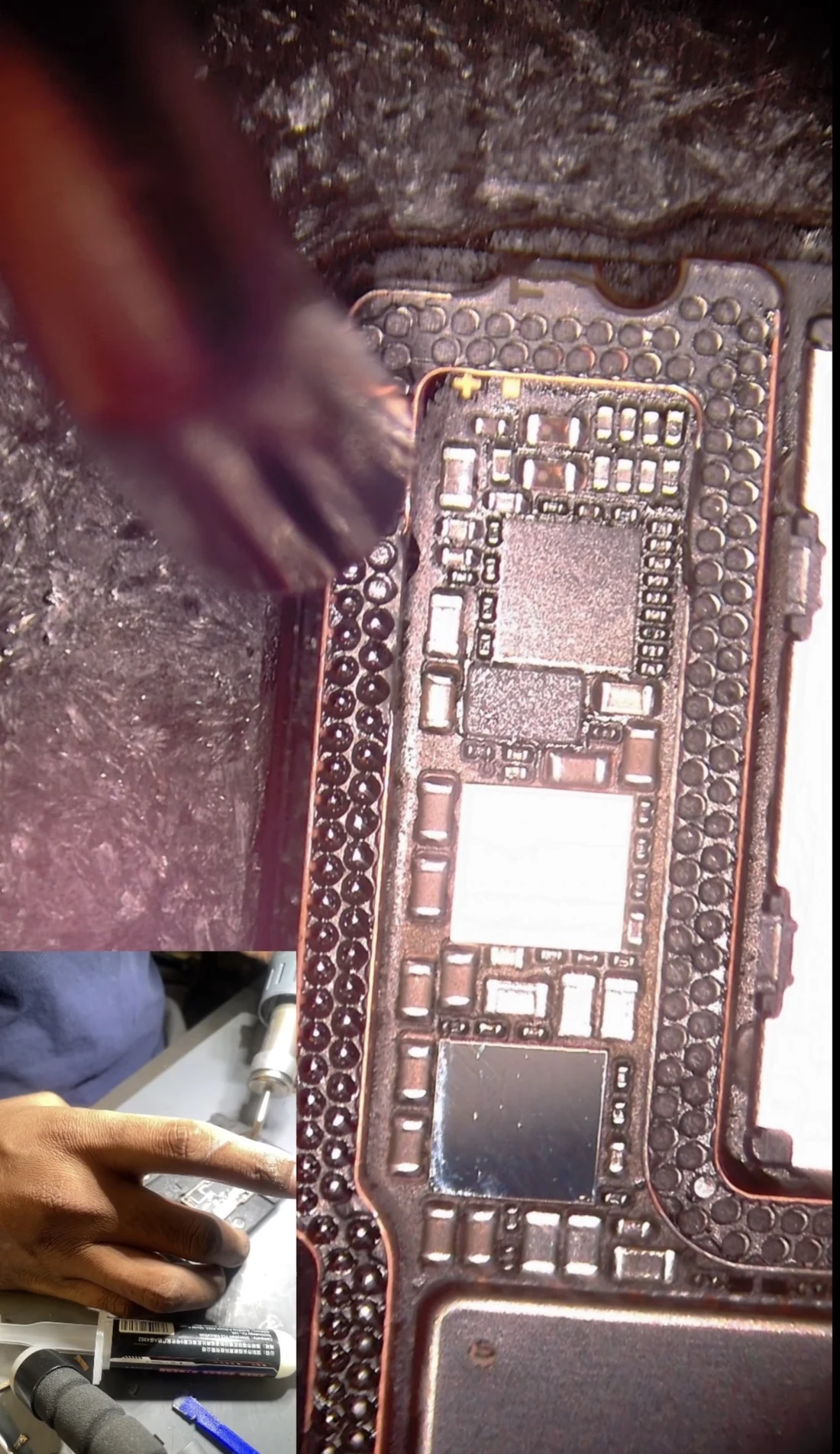
Then the two layers are aligned in a fixture and bonded back together under controlled heat. Alignment has to be exact, because there is no adjusting it afterwards.
Still No Service
New lower layer, clean joints, phone boots. Still No Service.
This is the point the job either gets solved or gets abandoned, and it is where a lot of attempts at this repair stop. Nothing is wrong with the work. The phone is behaving exactly as it should, because of how Apple pairs the cellular hardware to the device.
The IMEI, the number that identifies your phone to the network, is not printed into the logic board in general. It is stored in the baseband EEPROM. Replace the layer that chip sits on and you have replaced the phone's cellular identity along with it.
Moving the baseband across
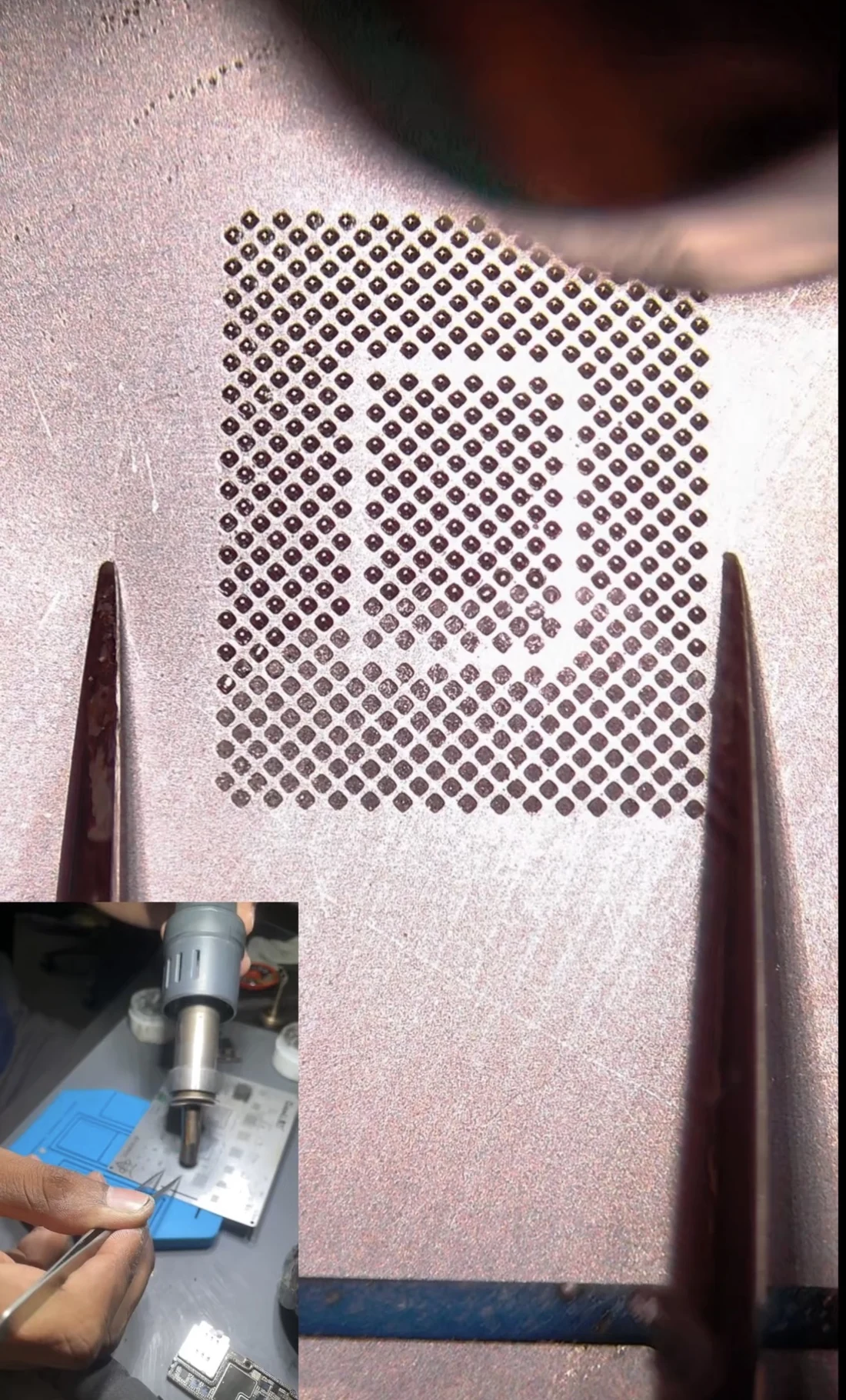
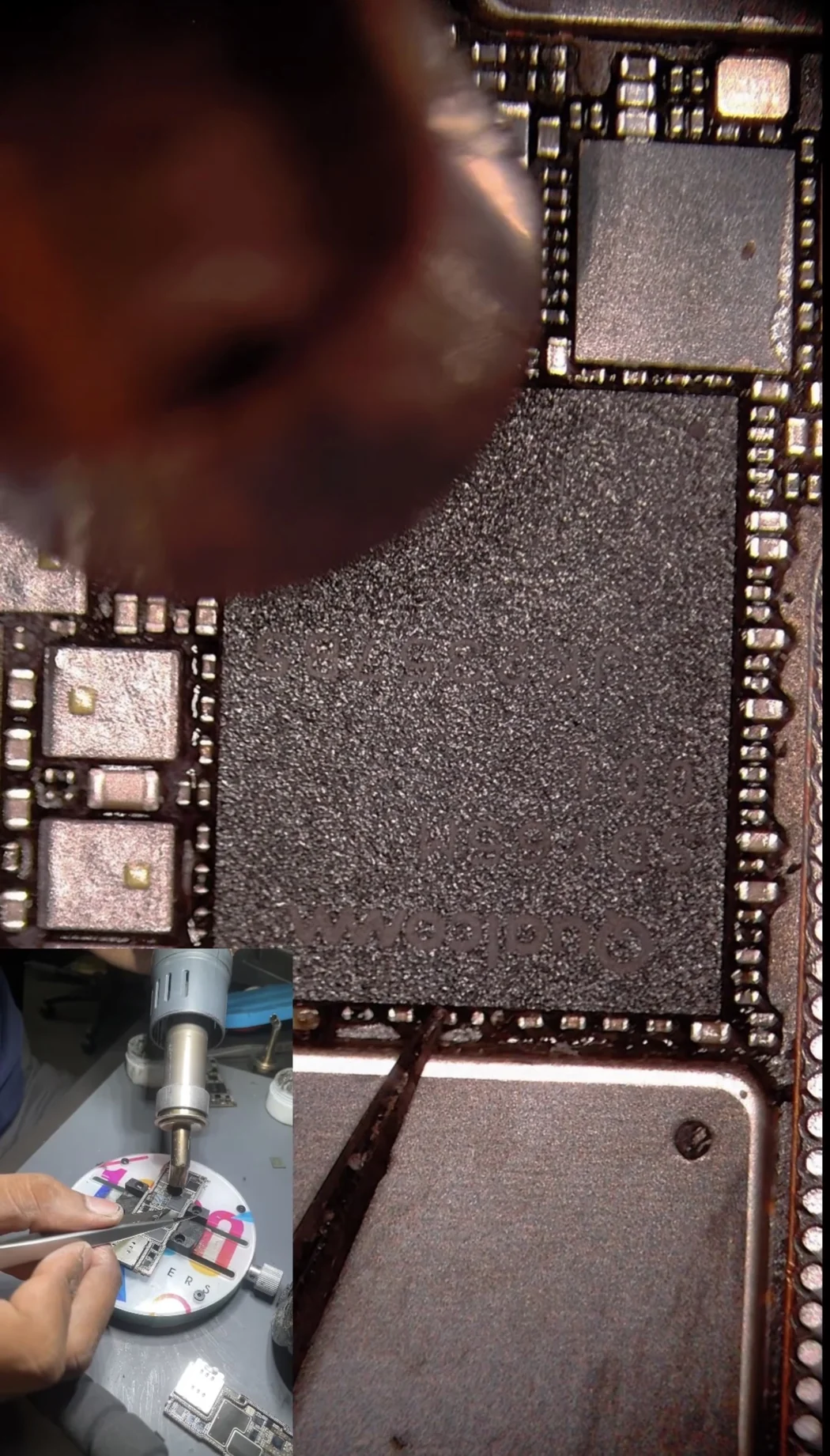
So the original baseband processor comes off the old lower layer, gets cleaned and reballed, and goes onto the new one. Same removal, cleaning and reballing as any other BGA, on a chip that has already been through one impact and one separation.
And the EEPROM, which is the part that gets forgotten
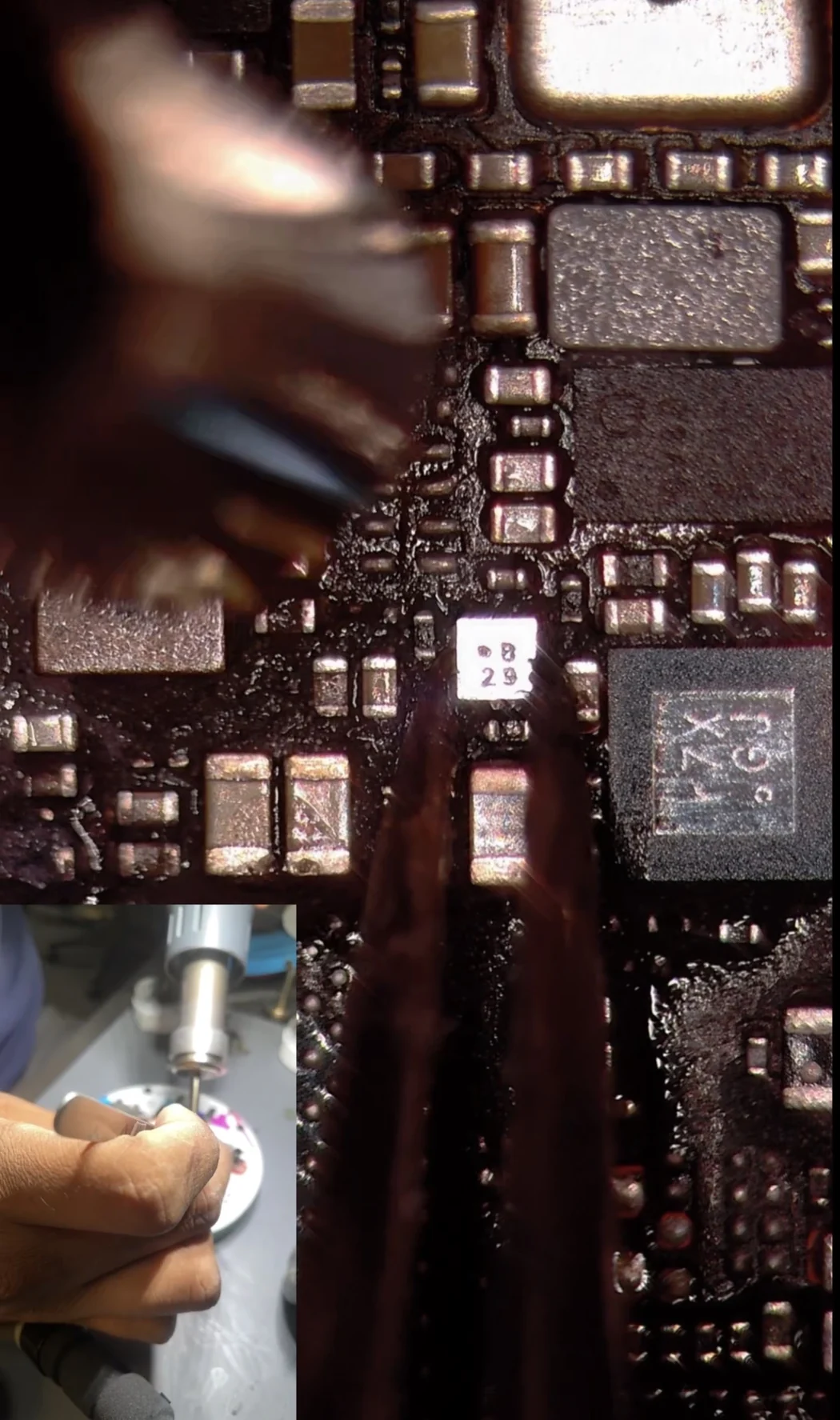
The baseband on its own is not enough. Its EEPROM has to come across too, and it is one of the smallest components on the entire board: a few millimetres square, easy to lose, easy to damage, and carrying the number that makes the phone yours as far as the network is concerned.
Signal
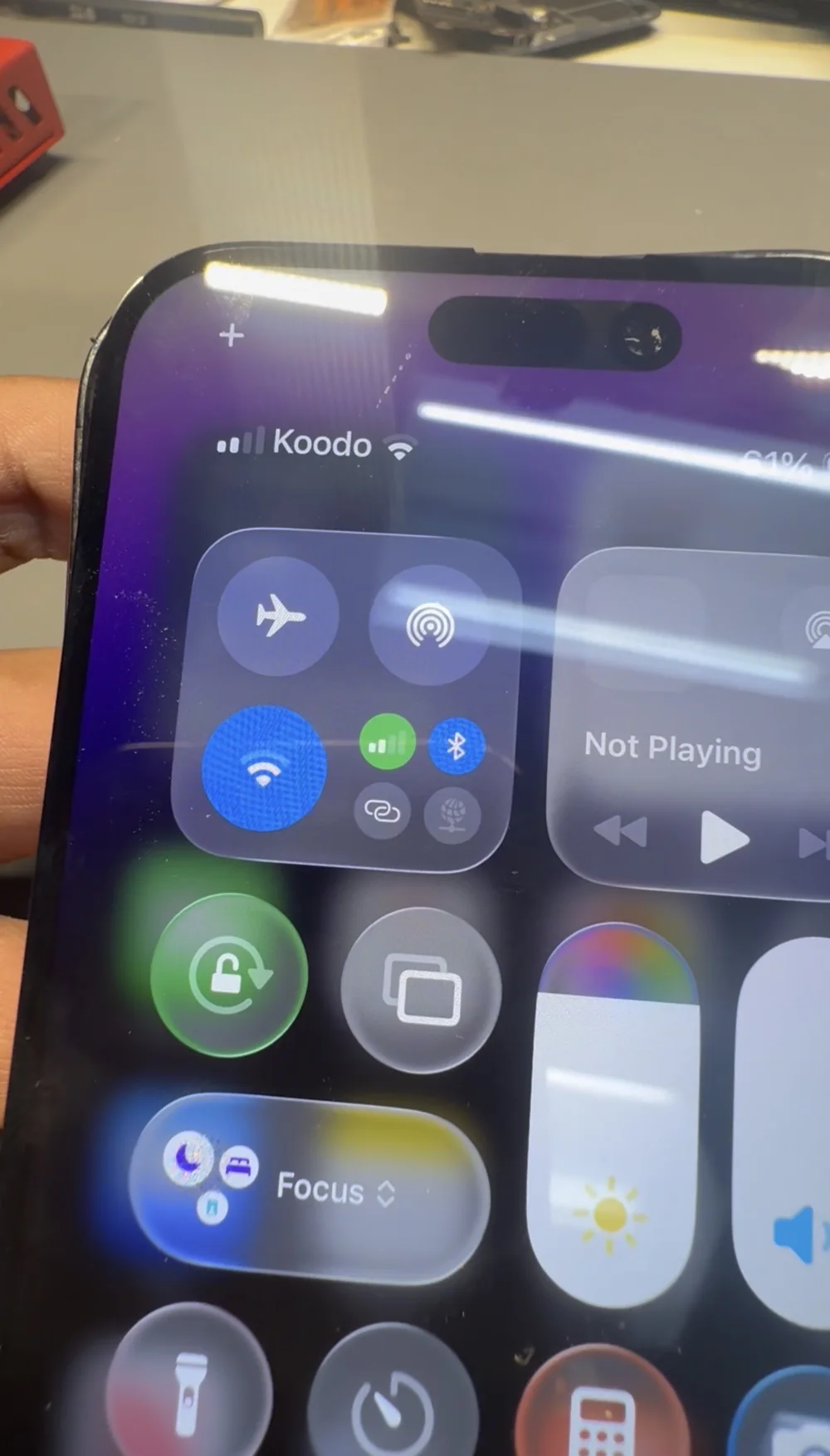
With both chips moved across, the phone found the network on the next boot: carrier name in the status bar, bars beside it, calls and data working on the owner's own number.
What this means if your iPhone says No Service
Rule out the free things first. Try another SIM, check the account is active, and confirm it happens on more than one location. A surprising number of no-service phones are a carrier problem, not a hardware one.
Impact damage counts even when the phone looks fine. If the back or the frame took a hit and the cellular went at the same time, the two are almost certainly related, whatever the outside looks like now.
Ask whether the shop transfers the baseband. This is the question that separates shops that can actually do this from shops that will try a board swap and hand it back still saying No Service. If they cannot explain what happens to your IMEI, they have not done this repair before.
Be wary of anyone offering to "change the IMEI." The legitimate repair moves your original chips onto working hardware so the phone keeps the IMEI it was made with. Anything that reprograms a phone to report a different IMEI is a different thing entirely, and not something we do.
What it costs and how long it takes
A no-service fault runs $250 to $350. A fault that can be repaired in place on the original board sits at the low end. A full lower-layer replacement with the baseband and its EEPROM transferred, like this one, sits at the top, because of the separation, reballing and transfer work it involves. See the full price list for everything else.
The diagnostic is free and you get a fixed price in writing before anything starts. If we get in and it cannot be saved, you pay nothing. A job at this end of the scale usually takes two to four days.
FAQ
My iPhone says No Service but Wi-Fi works. What does that mean?
It means the phone itself is healthy and the cellular section specifically is not working. That narrows things to the SIM, the carrier account, the antenna connections, or the radio hardware on the logic board. The first three are quick and free to check. If they all pass, the fault is on the board, in the chain between the antenna and the baseband processor.
Can you just replace the whole logic board to fix No Service?
Not usefully. On an iPhone the baseband processor and its EEPROM are paired to your specific device, and the EEPROM holds your IMEI. A donor board comes with somebody else's cellular identity, so the phone still won't register on your account. Your original chips have to be transferred onto the replacement hardware, which is the actual repair.
What is the baseband EEPROM and why does it matter?
It's a very small chip that sits next to the baseband processor and stores the phone's cellular identity, including the IMEI and radio calibration data. It's physically tiny, a few millimetres square. If it isn't moved across with the baseband during a board repair, the phone has no valid cellular identity and stays on No Service no matter how good the rest of the work is.
Does this repair change my IMEI?
No, and that's the whole point of doing it this way. Moving your original baseband and EEPROM onto the replacement layer means the phone keeps the IMEI it left the factory with, so your warranty records, insurance and carrier account all still match. We don't reprogram IMEIs, and you should be careful of anyone who offers to.
Why does an iPhone board have two layers?
Since the iPhone X, Apple has built the logic board as two circuit boards soldered face to face into one sandwich, which halves the footprint and leaves more room for the battery. The two halves are joined by a dense ring of solder joints around the edge. It's excellent engineering and it makes board repair considerably harder, because reaching the lower layer means separating the two without wrecking either.
How long does a no-service board repair take?
Two to four days for a job at this end of the scale. Most of that is testing rather than bench time, including a heat soak afterwards to make sure the signal holds once the board warms up. Simpler cellular faults are usually done within 24 to 72 hours. Free diagnostic and a fixed quote before we start, and we accept mail-in from anywhere in Canada.
We do the repair that keeps your IMEI.
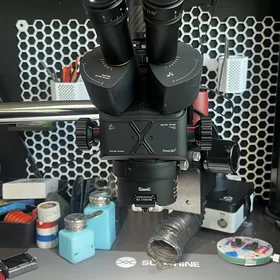
Board-level cellular repair in-house, under the microscope, including baseband and EEPROM transfer when a layer has to be replaced. Your phone keeps its own identity and its own number. Free diagnostic, a firm quote before we start, and an honest answer if it can't be saved.