Another shop told this S23 Ultra owner to replace the motherboard. It needed a reball.
A Galaxy S23 Ultra came in stuck in a boot loop: Samsung logo, restart, Samsung logo, restart. The owner had already been to another shop and been told the whole motherboard needed replacing. On our bench the processor turned out to be perfectly healthy. What had failed were the solder joints underneath it, and that is a repair, not a write-off.
Not in the GTA? We accept mail-in board repair from anywhere in Canada
What the owner saw
- Endless restartSamsung logo, reboot, logo again
- Never reached the lock screenNot once, on any attempt
- No drop, no waterIt started on its own
- Told it was unfixableAnother shop quoted a full motherboard
What we found
- Power rails all healthyThe PMIC was doing its job
- Fault moved with temperatureClassic sign of a cracked joint
- Processor itself was fineThe silicon was never the problem
- Original board keptSame storage, same IMEI, same phone
A Galaxy S23 Ultra was boot looping and had been quoted a full motherboard replacement elsewhere. Diagnostics showed stable power rails and a fault that changed with temperature, which points at the connection under the processor rather than the processor itself. We removed the chip, cleaned both sets of pads, reballed it and soldered it back down. The phone booted on the first try, with the owner's data and IMEI intact.
"You need a new motherboard" is one of the most expensive sentences in phone repair, and it is very often wrong. It is the answer a shop gives when it has narrowed the fault down to the board and has nowhere else to go, because board-level work needs a microscope, a hot air station and someone who has done it a few hundred times.
This S23 Ultra is a good example. The phone was doing something that looks catastrophic from the outside: powering on, showing the Samsung logo, and restarting before it ever reached the lock screen. Over and over, forever.
The processor was fine. The tiny solder balls connecting it to the board were not. That distinction is the entire difference between a repair and a new phone.
What a boot loop is actually telling you
A boot loop means the phone is getting further than a dead phone does and then failing partway through startup. Power is reaching the board. The processor is running. Something breaks down before the system finishes loading, the phone resets, and the cycle starts again.
That narrows things considerably, but it does not point at one component. On a modern Samsung flagship, a boot loop can come from any of these:
- Software. A failed update, a corrupt system partition, or a bad app baked into the boot sequence.
- Storage. The UFS chip holding the operating system developing read errors.
- Power delivery. A rail that sags under load the moment the processor starts drawing current.
- Memory. The LPDDR5X stacked on top of the processor failing to initialise.
- Connection. Cracked solder joints under one of the main chips.
Five very different problems, one identical symptom. Telling them apart is the whole job, and it is the step that gets skipped when a phone gets written off.
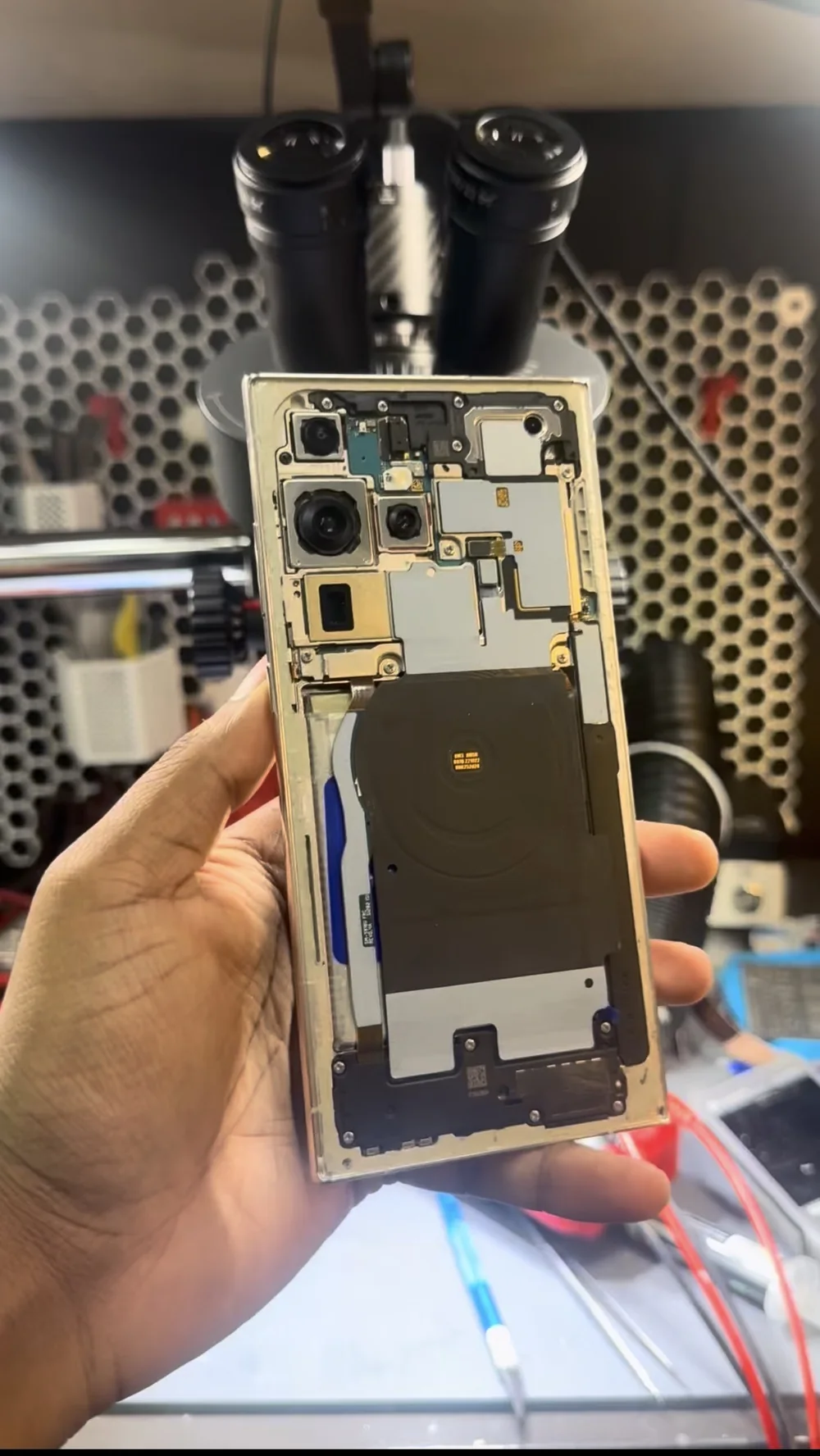
Why a motherboard replacement is the wrong answer here
On a Samsung, the motherboard is not a neutral part you swap like a screen. It is the phone. Replacing it costs the owner four things at once, and most people only find out about them afterwards.
The storage goes with it. On an S23 Ultra the UFS chip is soldered to the board. Photos, messages, authenticator apps, anything not backed up. A board swap is a full data loss event, and unless someone says that out loud at the counter, the owner does not know it is coming.
The IMEI changes. The IMEI is tied to the board, not the housing. Put a different board in and the phone reports a different identity to the network. That matters for warranty records, for insurance claims, and for anyone who ever needs to prove the device is theirs.
Knox does not transfer. Samsung's security state is fused into the original hardware. Secure Folder contents live on the storage you just threw away, and the replacement board arrives with whatever state the donor phone left it in.
You inherit a stranger's board. Genuine replacement boards for a current flagship are scarce, so in practice these come out of other phones. That board has a history nobody can tell you about, and it may be carrier-locked or blacklisted in a way that does not show up until it is installed.
None of that is worth doing to a phone whose processor works. So before quoting anything, the actual question has to be answered: is the chip dead, or is the connection to it dead?
The diagnostic that changed the answer
Four checks separate a failed chip from a failed joint, and none of them take very long.
Rule out software first. If the phone still reaches Download mode and a clean firmware flash changes nothing, the operating system is not the problem. This is free to test and it eliminates the most common cause before anyone opens anything.
Watch the current draw. On a bench supply, a phone looping on software draws a repeating, tidy ramp: the same curve every cycle. A hardware fault usually looks messier, with the current breaking off at the same point in startup each time.
Check the rails hold under load. If the power management IC brings every rail up and they stay up while the processor is resetting, the power system is not what is failing. On this phone the rails were clean, which moved the fault to the processor or its connection.
Change the temperature. This is the check that settles it. A cracked solder joint makes intermittent contact, and metal expands and contracts with heat, so the fault moves as the board's temperature changes. Silicon that has genuinely died does not behave that way. When a boot loop shifts under gentle heat or cold, the joints are the suspect.
That last result is what told us the processor was alive and the ball grid beneath it was not, so we could stop talking about replacement boards.
Removing the processor without ending the phone
This is the step with real risk in it, and it is worth being honest about why.
The processor is a BGA package: it sits on several hundred solder balls hidden completely underneath it. There is no way to work on those joints in place. The chip has to come all the way off, and to lift it you have to bring the solder under it to melting point.
Two things make this harder on a flagship than it sounds. The memory is stacked directly on top of the processor in the same package, so it takes the same heat the joints do. And packages like this are normally underfilled with epoxy around the edge to survive being dropped, which has to be released before the chip will lift without tearing pads off the board.
Get the heat wrong and you turn a repairable phone into a genuinely dead one. That is the real reason shops decline this work, and it is a fair reason. The answer to being unable to do it safely is to refer the job out, not to tell the owner the board is finished.
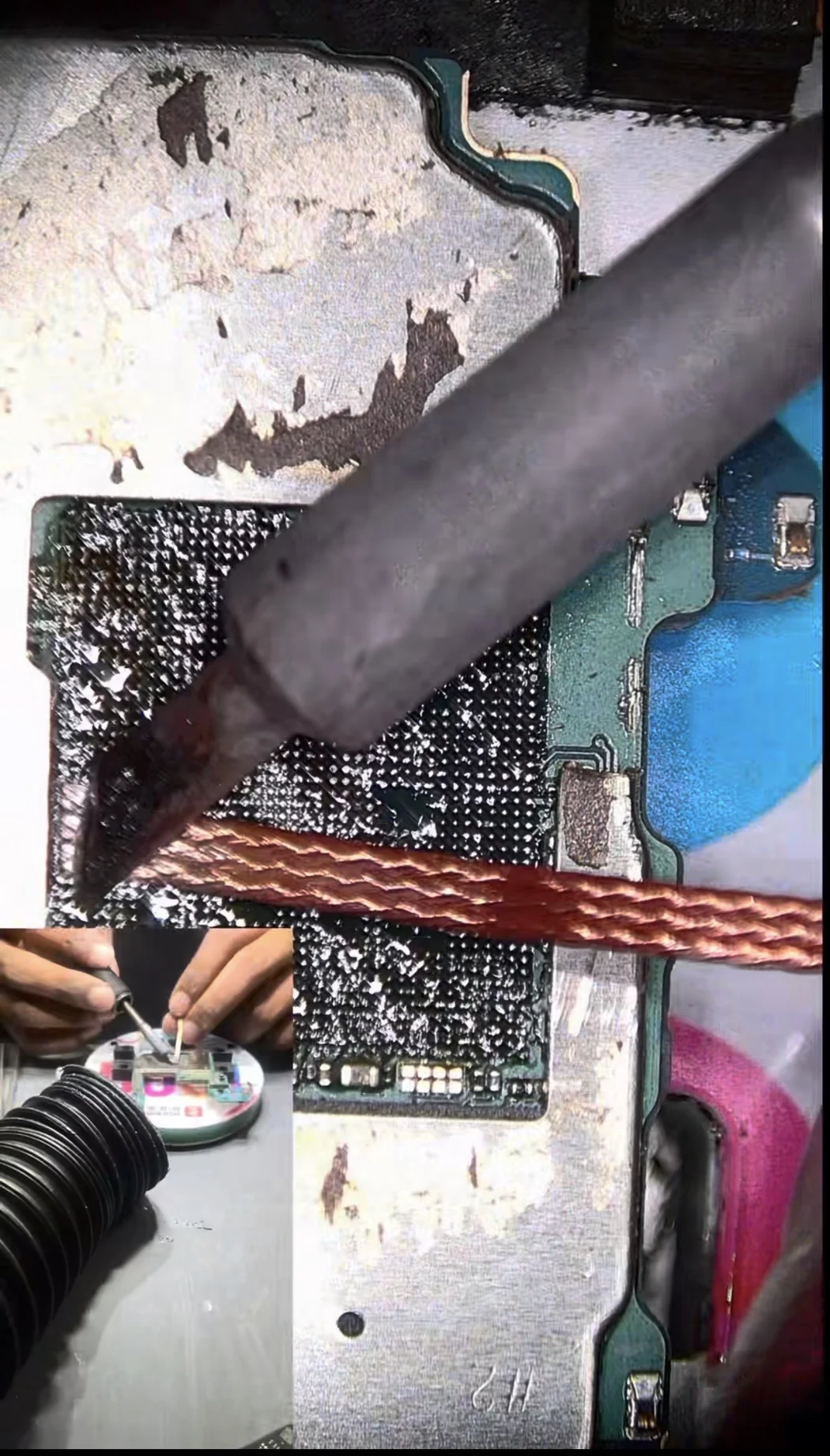
Cleaning the pads is most of the work
With the chip removed, both surfaces are left covered in the remains of the old joints. Every one of those pads has to come back to flat, clean copper. Any solder left behind sits proud of the surface, and a single high spot is enough to hold the chip at an angle and leave a neighbouring ball not quite touching.
That is the whole failure mode repeating itself, which is why this stage gets the time it does rather than being rushed.
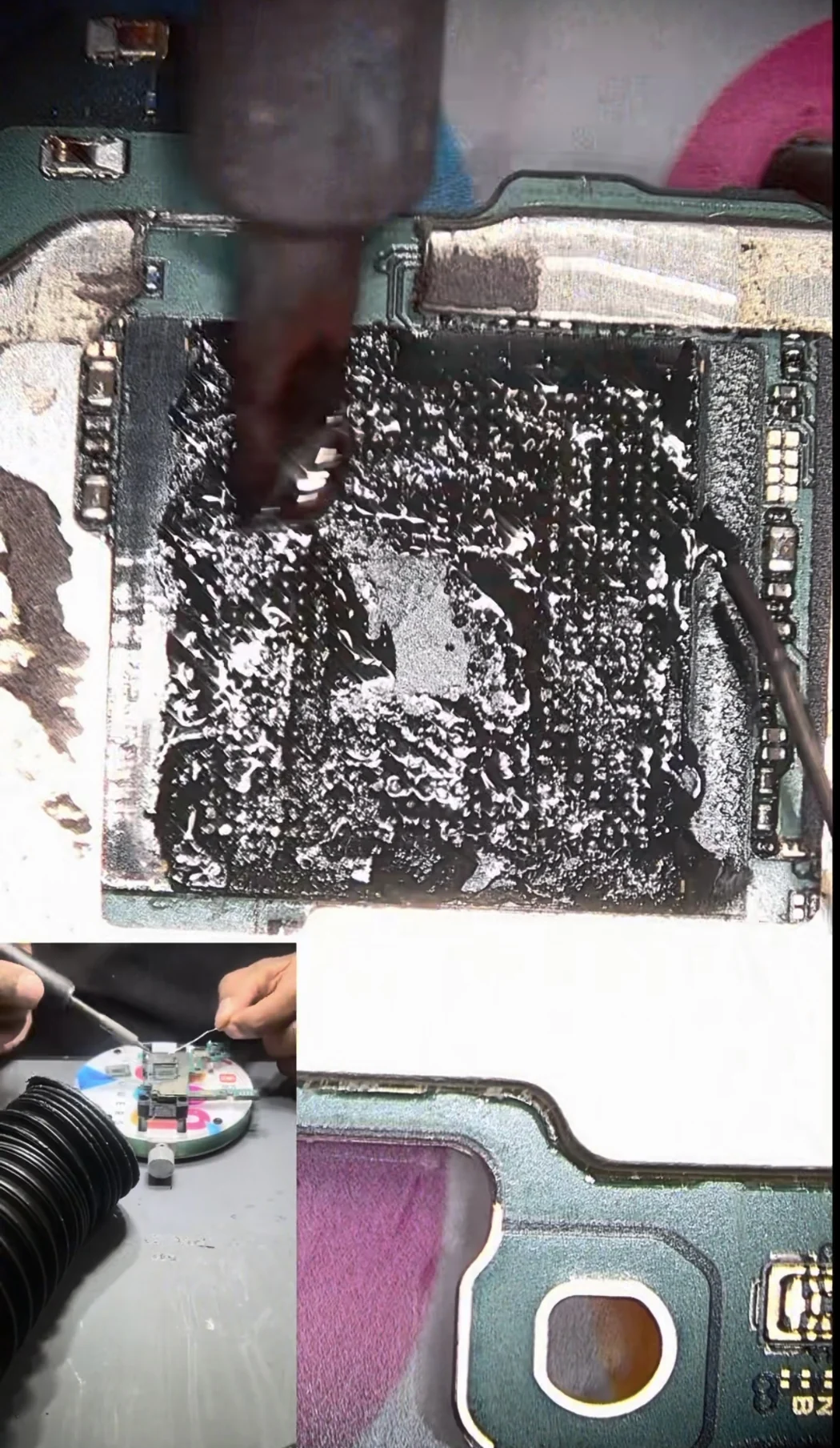
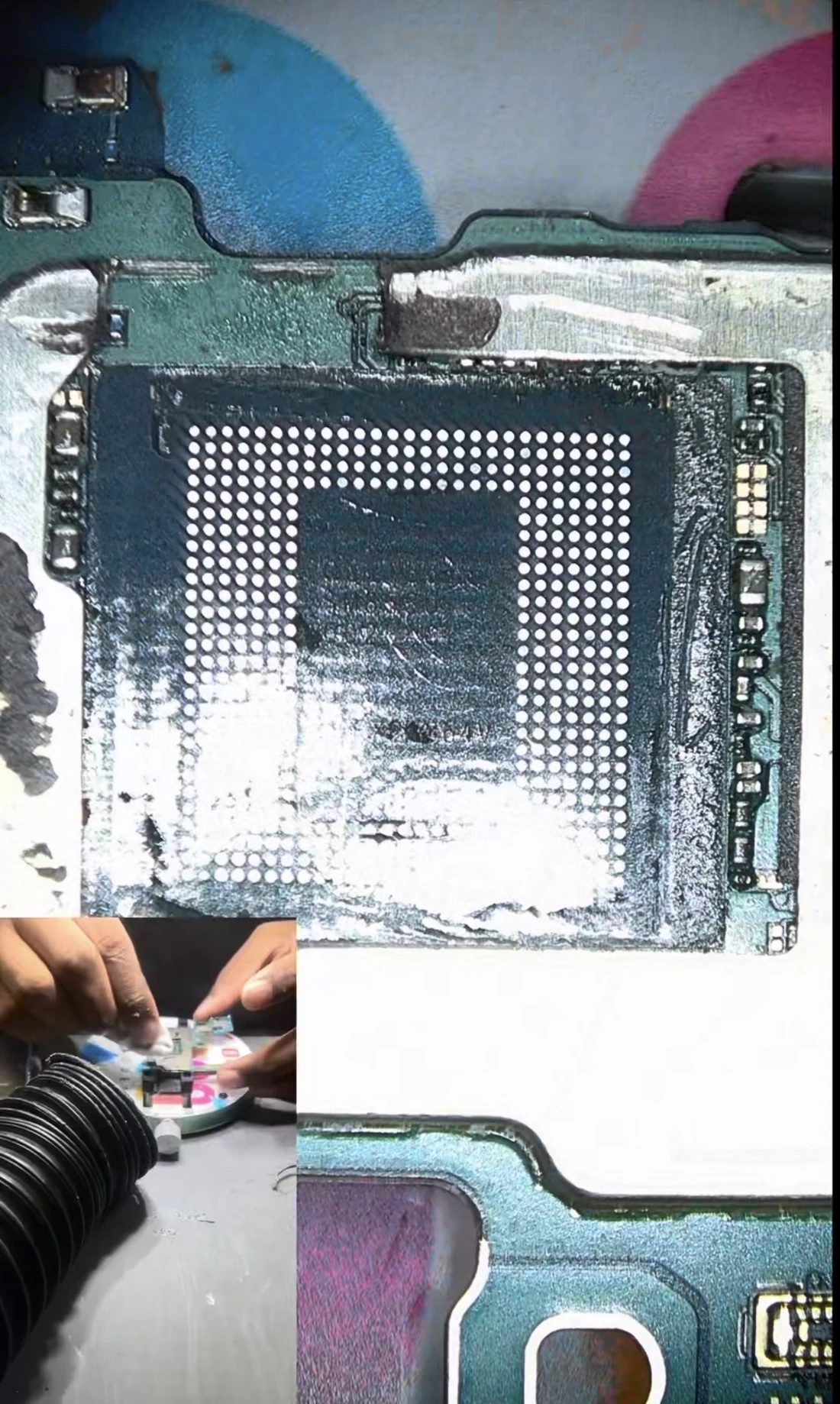
Reballing: a new joint for every connection
Reballing means giving the chip a complete new set of solder balls rather than trying to reuse what is left of the old ones. The processor goes into a stencil cut to match its exact ball layout, fresh solder is laid into the openings, and heat forms each one into a ball.
This is the part of the job people picture when they hear "reball", and it is the step that separates the repair from a reflow. A reflow just melts the existing joints and hopes they re-form correctly. It sometimes buys a few weeks. A reball replaces every connection with a new one, which is why it holds.
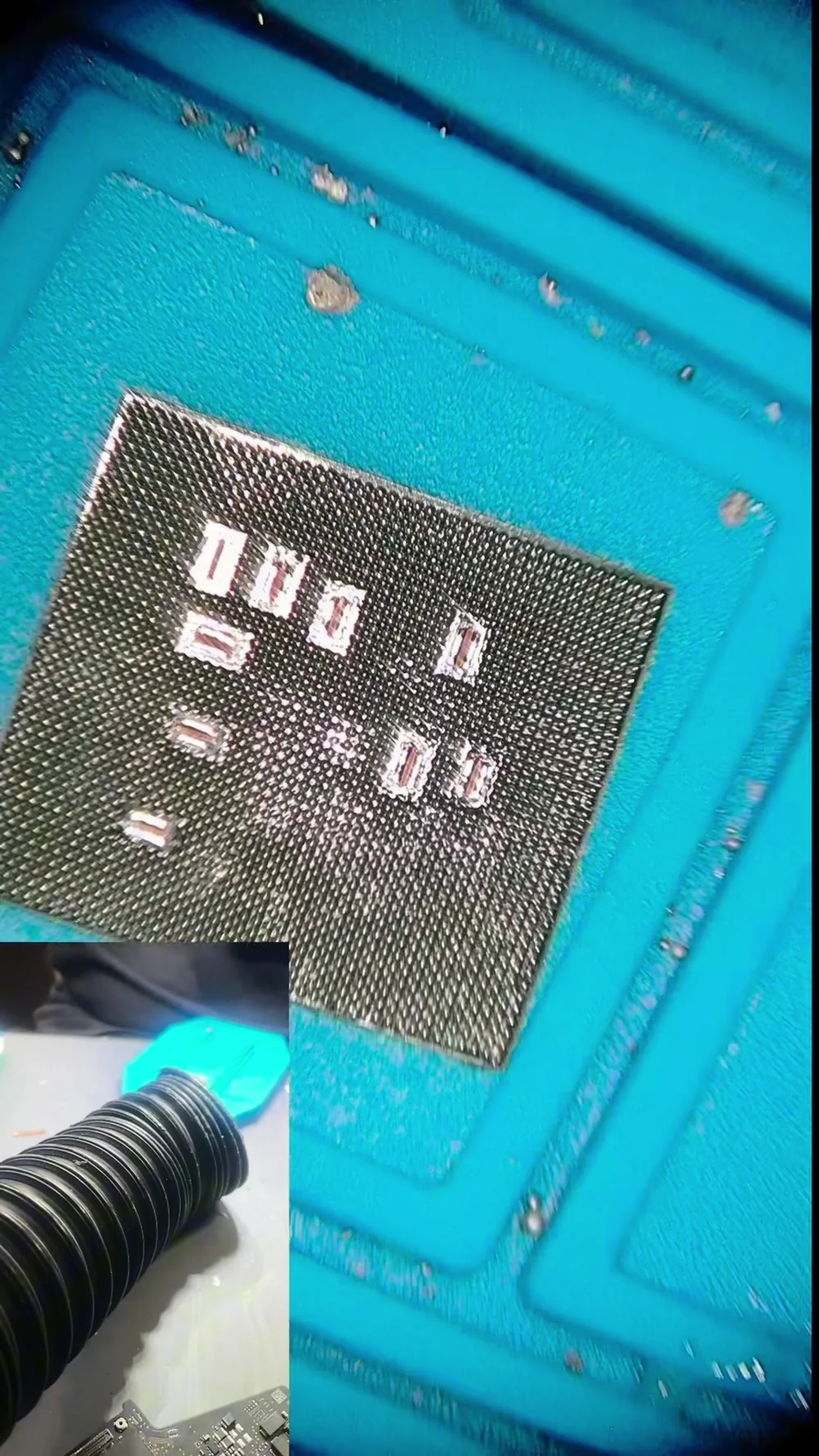
Back on the board, and the moment that matters
The reballed chip is aligned over the cleaned pads and heated until every ball melts into its pad at once. Surface tension does the fine alignment: as the solder goes liquid the chip pulls itself into position.
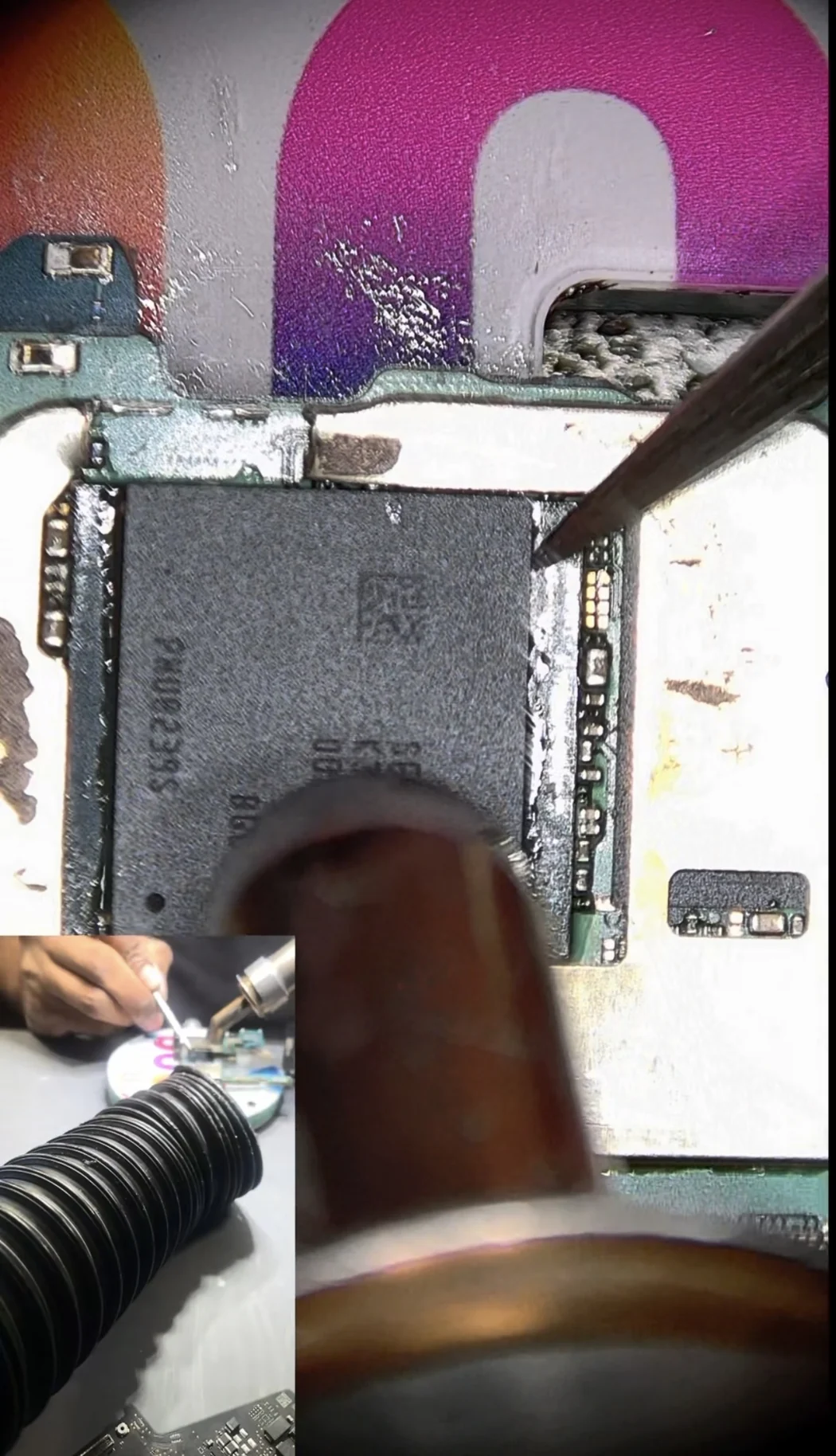
Then the board goes back in the phone and you press power, which is the only part of this job that is genuinely nerve-wracking. There is no partial result. It either boots or it does not.
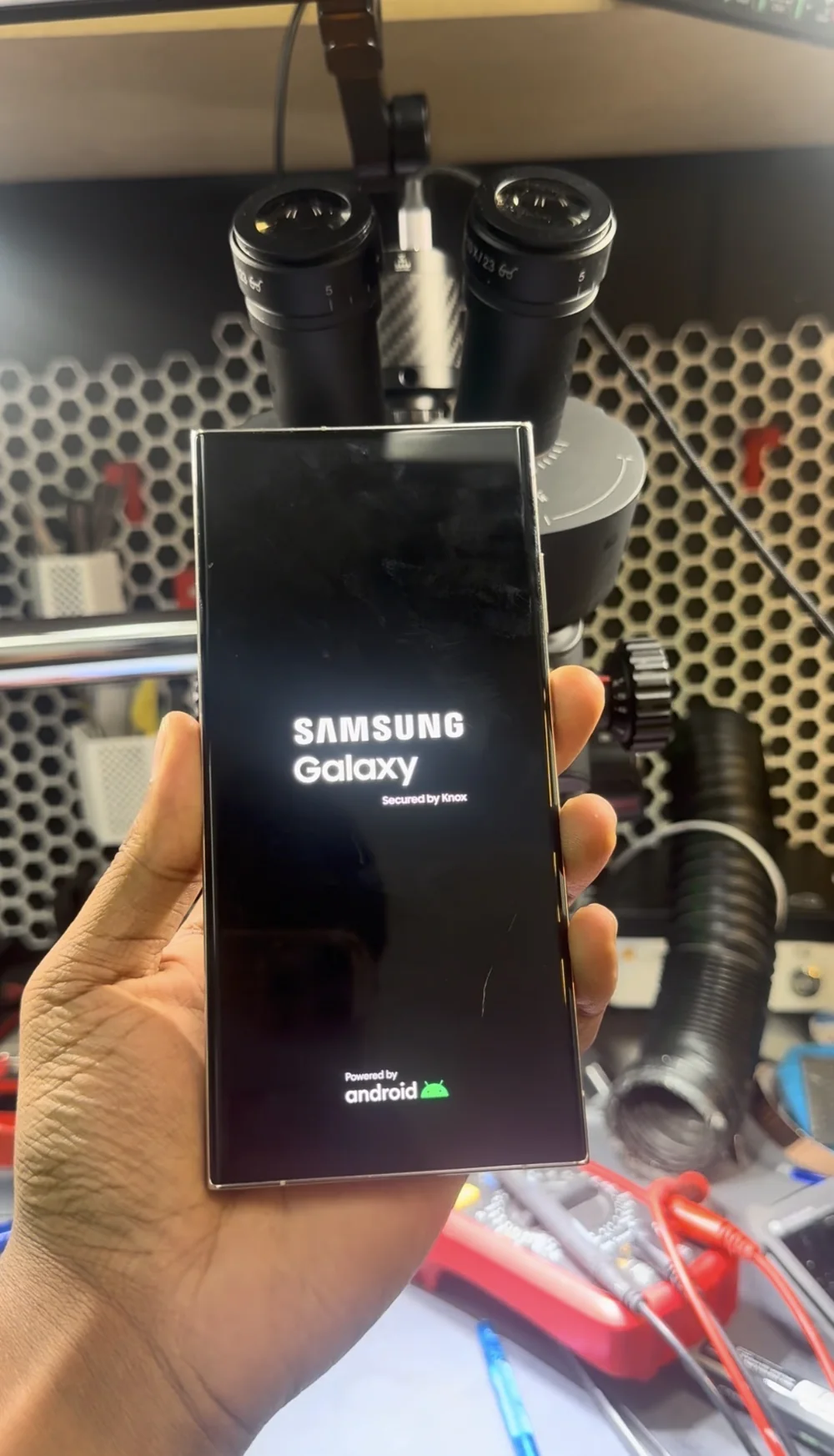
It booted first time and went straight through to the lock screen. We ran it through a full test cycle afterwards, including a proper heat soak, because an intermittent joint that has been reflowed rather than replaced will show itself again once the board is warm.
How to tell whether your phone is a reball case
You cannot diagnose this from the outside, but there are signals worth knowing before you accept a quote.
Ask what the fault is, not what the fix is. "It needs a motherboard" describes a part, not a diagnosis. A shop that has actually found the problem can tell you which stage of startup fails and why. If nobody can answer that, the board has not been properly tested.
Boot loops with no accident behind them are worth a second opinion. A phone that was never dropped or soaked and simply started looping is often a fatigue failure, and fatigue failures happen in the joints far more often than in the silicon.
Be wary of anyone offering a reflow. Heating the board without removing and reballing the chip is a temporary measure at best, and every heat cycle you spend on a guess is heat the board does not get back.
Back up now, not later. An intermittent joint gets worse. The window where the phone still boots occasionally is the window to get your data off it, and it does not stay open.
What it costs and how long it takes
A processor reball on a flagship Android runs $280 to $560, which is two to four hours of bench time at our published $140 per hour micro-soldering rate. The spread depends on how much underfill has to be cleared and how much cleanup the pad field needs.
The diagnostic is free and you get a fixed price in writing before any work starts. If the fault turns out to be something we cannot repair, you pay nothing and you take the phone away in the condition it arrived in. Most of these finish within 24 to 72 hours.
FAQ
My Galaxy S23 Ultra is stuck in a boot loop. Is it dead?
Usually not. A boot loop means the phone is powering on and running, then failing partway through startup, which is a much better starting point than a phone that does nothing at all. The cause can be software, storage, power delivery, memory, or cracked solder joints under one of the main chips. Those need to be told apart before anyone can say whether it is repairable, and a free diagnostic will do that.
What is a CPU reball and why would my phone need one?
The processor is mounted on several hundred tiny solder balls hidden underneath it. Over time, heat cycling and flexing can crack some of those joints, so the chip loses reliable contact with the board even though the chip itself still works. A reball means removing the processor, cleaning both surfaces back to bare pads, forming a complete new set of solder balls on the chip in a stencil, and soldering it back down. Every connection is new, which is why it lasts.
Another shop told me I need a new motherboard. Should I get a second opinion?
Yes, particularly if nobody explained what the actual fault was. "It needs a motherboard" often means the shop has traced the problem to the board and does not do board-level work, which is a completely reasonable position but is not the same as the phone being unfixable. Ask which part of startup fails and why. If there is no answer, the board has not been fully tested.
Will I lose my data if I replace the motherboard instead?
Yes. On an S23 Ultra the storage chip is soldered to the board, so your photos, messages and app data go with the old board. The IMEI is tied to the board as well, so the phone's identity changes, and Samsung Knox and Secure Folder are fused to the original hardware and do not transfer. Repairing the original board avoids all of that.
Is a reflow the same thing as a reball?
No, and the difference matters. A reflow heats the board to melt the existing joints and hopes they re-form correctly. It sometimes works for a few weeks. A reball removes the chip and replaces every solder ball with a new one. A reflow also adds a full heat cycle to a board that may already be fragile, so a failed reflow can leave the phone worse off than before.
How much does a Samsung CPU reball cost and how long does it take?
Between $280 and $560, which is two to four hours at our $140 per hour micro-soldering rate, depending on how much underfill and pad cleanup is involved. Free diagnostic, fixed quote before we start, and most jobs are done within 24 to 72 hours. We also accept mail-in from anywhere in Canada.
We repair the board instead of replacing it.
Board-level micro-soldering in-house, under the microscope, on the original board. That means your storage, your IMEI and your data stay exactly where they are. Free diagnostic, a firm quote before we touch anything, and an honest answer if it genuinely cannot be saved.