A cheap charger killed this MacBook. We recovered the data.
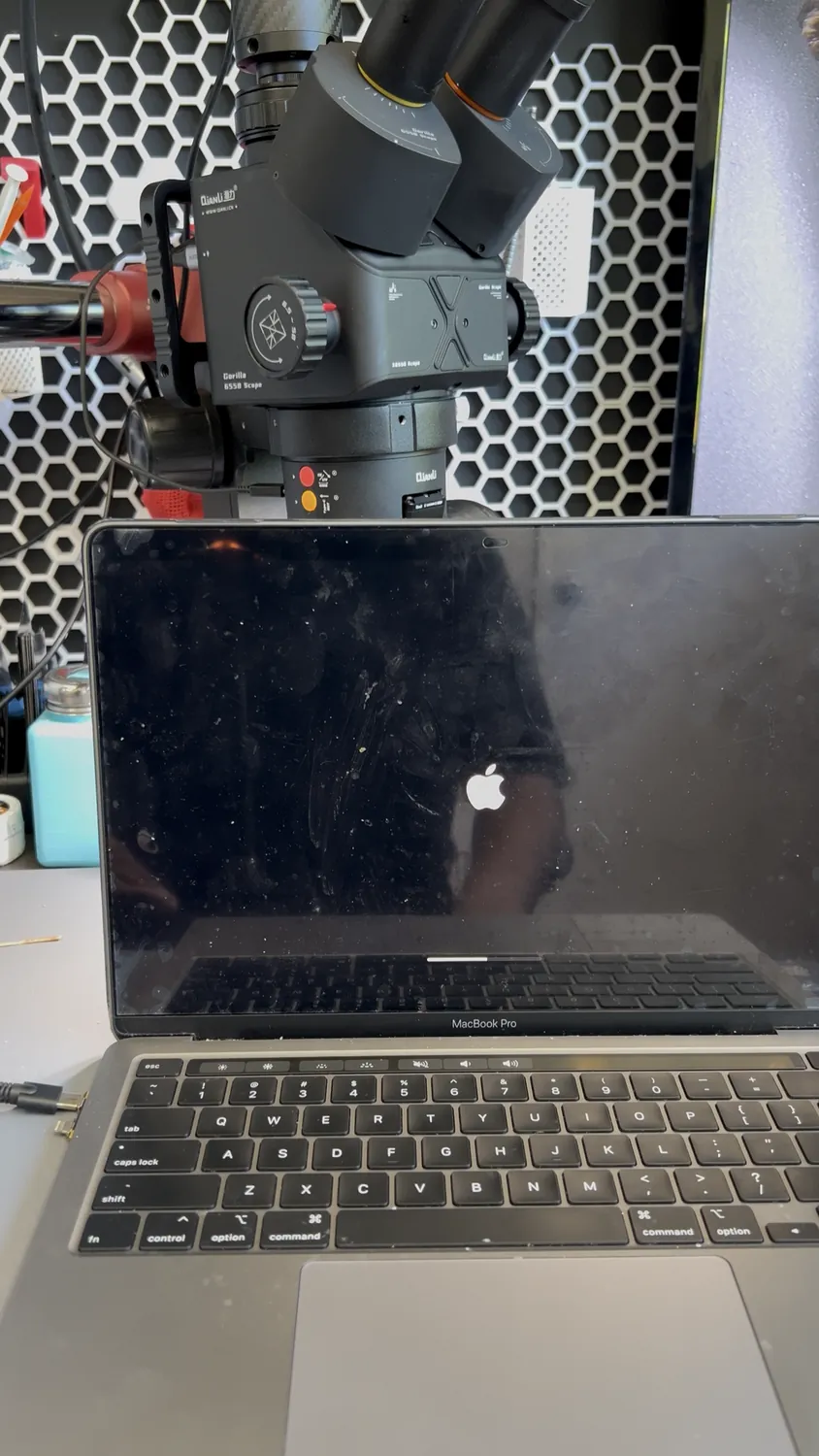
A customer's MacBook Pro died with no warning, no backup, and years of files on it. The cause: a failed CD3215 power-delivery chip (the "CD32"), almost certainly fried by a cheap, non-genuine charger. Because the SSD is soldered to the logic board, the only way to get the data back was to repair the board itself. Here's what happened on the bench.
Not in the GTA? We accept mail-in recovery from anywhere in Canada
This MacBook wouldn't power on at all. The fault was a dead CD3215 USB-C power-delivery IC, the chip that negotiates charging and turns the board on, most likely killed by a cheap third-party charger. On modern MacBooks the SSD is soldered to the logic board, so you can't just pull the drive and read it elsewhere. We replaced the failed chip under the microscope, brought power delivery back, booted the board, and recovered every file. Lesson: use a genuine or certified charger, and back up your data.
The customer plugged in their MacBook one morning and nothing happened. No Apple logo, no fan, no charging light on the cable. They'd been using a cheap USB-C charger from a corner store, and that was the last thing it was plugged into. What they cared about wasn't the laptop, it was the years of photos and work files on it, with no backup.
This is one of the most common "dead MacBook" jobs we see, and one of the most misunderstood. Most shops will tell you the data is gone or quote you a fortune to ship it to a lab. The truth: it's usually a single failed chip, and getting your files back is a board-level repair.
What a "power delivery failure" actually is
Every modern MacBook has a small chip called the CD3215 (you'll hear techs call it the "CD32"). It's the USB-C power-delivery controller: when you plug in a charger, this chip is what negotiates the voltage, decides how much power to pull, and tells the rest of the board it's safe to turn on. There are usually two of them, one per USB-C side.
When a CD3215 dies, the MacBook can't accept power properly. Sometimes it won't charge; sometimes, like this one, it won't power on at all. The battery drains, the board never gets the "okay to boot" signal, and you get a completely dead laptop. No amount of trying different chargers or holding power buttons fixes it, because the chip that reads the charger is the part that's broken.
Why a cheap charger can kill a MacBook
USB-C charging is a negotiation. A proper charger and the CD3215 talk to each other and agree on a safe voltage before any real power flows. A genuine Apple or certified charger does this cleanly. A cheap, uncertified charger often doesn't: it can push the wrong voltage, spike when you plug it in, or skip the handshake entirely. The CD3215 takes the hit, and it's a delicate chip sitting on a dense board.
A genuine or certified USB-C charger costs a little more than the $15 one at the gas station. A board-level repair plus the panic of "are my files gone" costs a lot more. If you only change one habit after reading this, make it the charger.
Why this is a data recovery, not just a repair
Here's the part most people don't know. On every MacBook from roughly 2018 onward, the SSD (your storage) is soldered directly to the logic board and tied to Apple's security chip. You cannot unscrew the drive, slot it into another machine, and read your files. The storage and the board are one unit.
So when the board is dead, your data is locked behind it. The only way in is to bring the board back to life, at least long enough to boot and copy the files off. That's why a "dead MacBook" with no backup is really a board-level data recovery, and why most repair counters can't do it: it needs micro-soldering, a microscope, and the right replacement chips.
The board-level fix, step by step
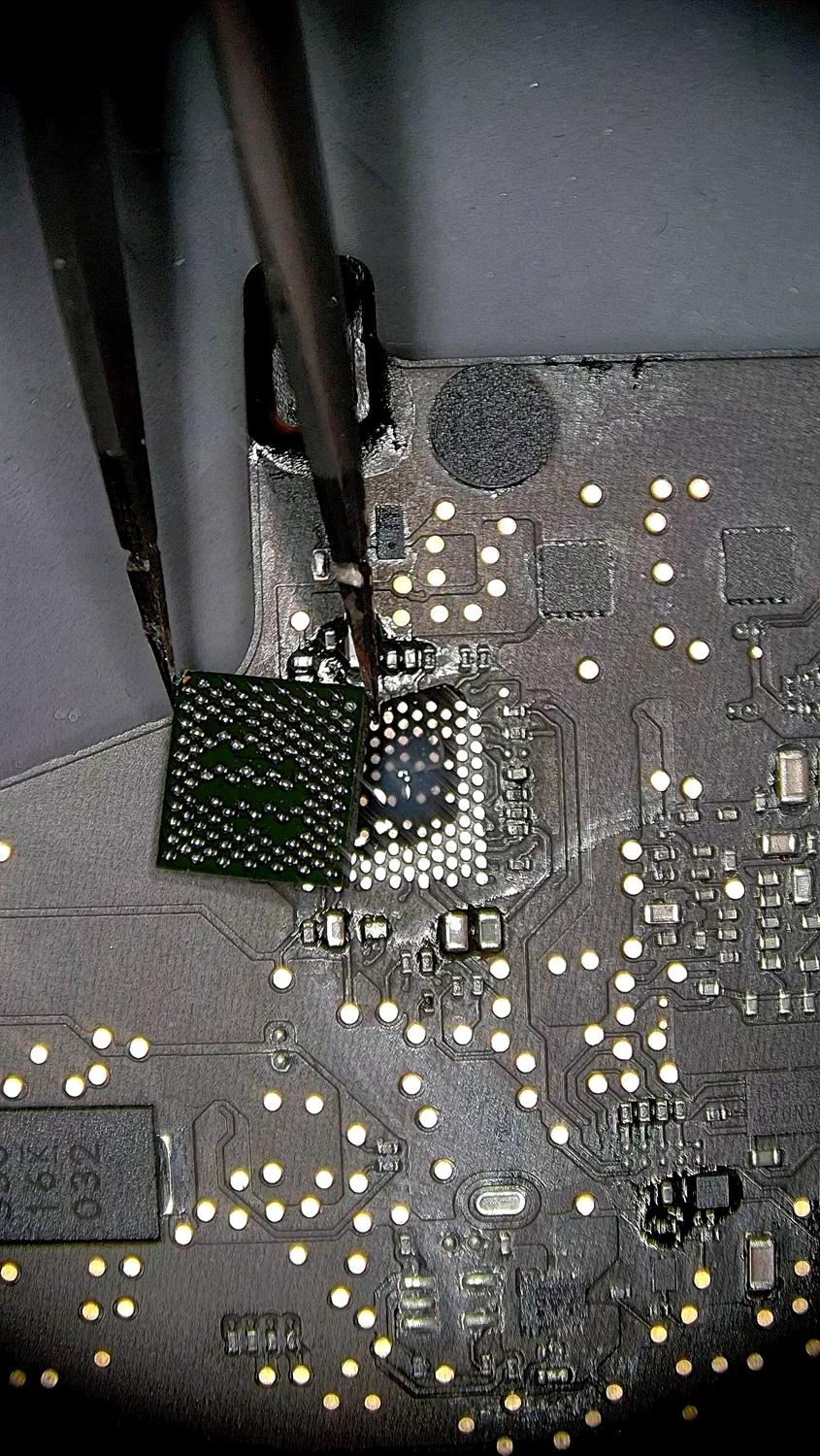
All of this happens under a stereo microscope, with hot air and fine-tip tools. The chip is the size of a grain of rice and sits in a field of components that are easy to knock loose.
- Diagnose the rail. We measure the power rails and confirm the CD3215 is the failure point, not the battery, the port, or something downstream.
- Remove the failed chip. Controlled hot air lifts the dead CD3215 off its pads without disturbing the parts packed around it.
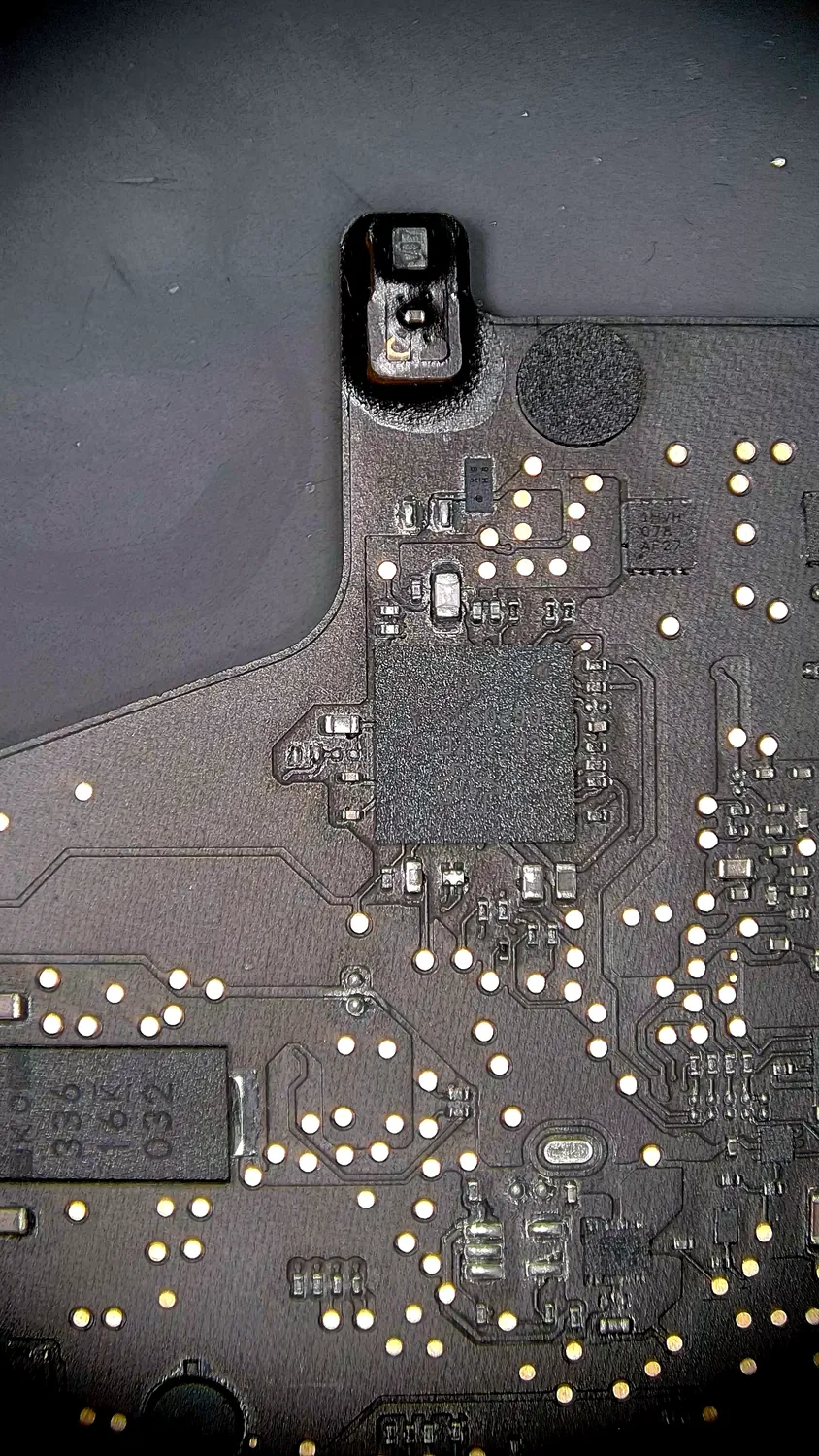
- Clean and re-prep the pads. Old solder is wicked away and the footprint is cleaned flat under magnification, ready for the new chip.
- Install the new CD3215. A fresh, correctly-programmed chip is aligned to the pads and reflowed into place, all connections verified.
- Power up and recover. With power delivery restored, the board boots. We then copy the customer's data off and verify every file opens before it leaves the bench.
Your data stays private
One thing worth saying plainly, because it's the question people are too polite to ask: we don't browse your files. We copy your data, verify it opens, and hand it back. We're recovering your photos and documents, not reading them. If you'd rather, you can tell us exactly which folders you need and we'll stick to those.
How to avoid being the next dead MacBook
- Use a genuine or certified charger. This is the single biggest cause of power-delivery failures we see. The cheap one isn't worth it.
- Back up your Mac. Time Machine to an external drive, or iCloud for the files that matter. If this MacBook had a backup, the dead board would have been a simple repair, not a panic.
- If it dies, stop guessing. Don't keep cycling cheap chargers and cables hoping it wakes up. Get it diagnosed. The data is almost always still there, locked behind the board.
What it costs and how long it takes
Every board is different, so we don't quote board-level data recovery blind. The diagnostic is free: we open it up, find the actual fault, and tell you exactly what it'll take and what it'll cost before any work starts. Most single-chip power-delivery jobs like this one turn around in a few days, depending on parts. You approve the quote first, every time.
FAQ
Can you recover data from a MacBook that won't turn on?
Usually, yes. A MacBook that's completely dead is most often a single failed chip on the logic board, not lost data. We repair the board enough to power it on, then copy your files off and verify them. The data is almost always still there, it's just locked behind a dead board.
Can't you just take the SSD out and read it on another computer?
Not on modern MacBooks. From around 2018 on, the SSD is soldered to the logic board and encrypted to Apple's security chip. There's no removable drive to pull. The only way to reach your data is to bring the board itself back to life, which is why this is a board-level repair, not a drive swap.
What causes a CD3215 (power-delivery) failure?
The most common cause we see is a cheap or counterfeit USB-C charger pushing bad voltage or skipping the safe-charging handshake. Liquid damage and power surges can do it too. The chip that manages charging takes the hit, and the MacBook stops charging or stops powering on entirely.
Will my files be private?
Yes. We don't browse your photos or documents. We recover your data, confirm it opens, and return it. If you prefer, tell us exactly which folders you need and we'll recover only those. Confidentiality is part of the job.
How much does board-level MacBook data recovery cost?
It depends on the fault, so we don't quote blind. The diagnostic is free: we find the exact problem and give you a firm price before any work begins. You always approve the quote first. Compared to shipping to a big-name recovery lab, in-house board repair is usually far cheaper.
My MacBook still turns on but won't charge. Same thing?
Often, yes, it's frequently the same CD3215 power-delivery chip, just caught earlier. If yours won't charge, charges only on one side, or only works on certain chargers, bring it in before it dies completely. It's an easier job (and safer for your data) before the board goes fully dark.
We recover data most shops can't reach.
Board-level MacBook data recovery, done in-house under the microscope. If your MacBook won't turn on or won't charge, the files are usually still there. Free diagnostic, your data stays private, firm quote before any work.